OP-003 · Version 1.0.0
Business Budget: budget vs actual in Excel
Monthly income and expense budget compared with actuals, with variances and alerts, no macros.
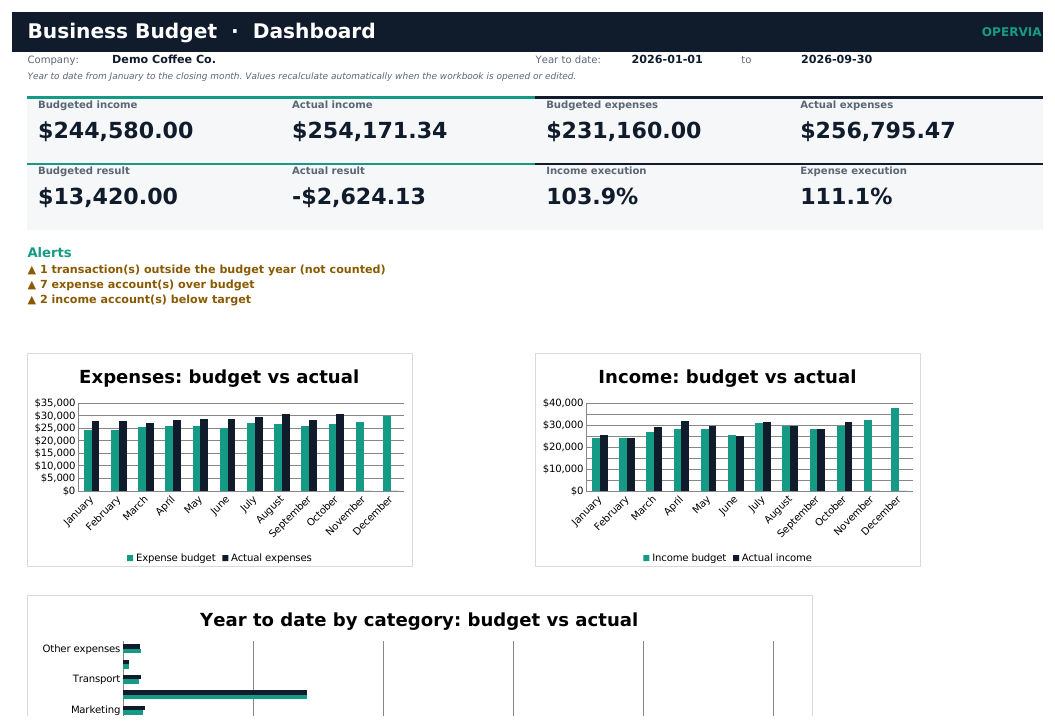
Business Budget is an Excel workbook to budget your business's income and expenses month by month and compare them with actuals, without installing software.
Define each account with its monthly amount and log the actual transactions. The workbook calculates the year to date at the closing month, the variance and the execution, and flags accounts that deviate beyond the tolerance.
The dashboard summarizes income, expenses and result, and the reports show the comparison by month and by category.
Features
- Monthly budget by account with annual total and year to date.
- Actual year to date at the closing month calculated from your transactions.
- Variance, execution percentage and status per account.
- Alerts for expenses over budget and income below target.
- Reports by month and by category with charts.
- Checks for accounts, dates and amounts.
- Includes demo, PDF manual and quick start. No macros.
Who it is for
Small businesses, entrepreneurs, shops and small organizations that want to control their annual budget without financial software.
What it does not include
It is not accounting software: no double entry, sales tax, bank reconciliation, multiple currencies or cash flow forecast.
Editions
| FREE (demo) | PRO | |
|---|---|---|
| Workbook with sample data | ✓ | ✓ |
| Empty template for your business | — | ✓ |
| Capacity | 40 accounts / 400 transactions | 200 accounts / 5,000 transactions |
| PDF manual and quick start | — | ✓ |
| Minor updates within the same major version | — | ✓ |
What you get
- Business_Budget_Demo_EN.xlsx
- Business_Budget_EN.xlsx
- CHANGELOG.txt
- LICENSE.txt
- Quick_Start_EN.pdf
- README.txt
- User_Manual_EN.pdf
Requirements
Excel 2016 or later, Microsoft 365 or LibreOffice Calc 7.6+. Windows, macOS or Linux.
Questions about this product
Is it accounting software?
No. It is a budget control tool: no double entry, sales tax or bank reconciliation.
How many accounts and transactions does it hold?
The PRO edition holds 200 accounts and 5,000 transactions per workbook. The demo holds 40 accounts and 400 transactions.
How is year to date calculated?
It adds the months from January to the closing month you set in SETTINGS.
Can I use it for several years?
Use one workbook per year: copy the template for the next year.
Version history
1.0.0 · 2026-11-16
- First release: monthly budget by account, actual transactions, year to date at the closing month, variances, dashboard and reports.